Reliant Documentation
Reliant is Saudi Arabia's penetration testing platform. Its in-house team of elite Saudi researchers — several recognised among the global top-10 vulnerability researchers — runs every engagement end-to-end. These docs walk you through every screen of the company portal.
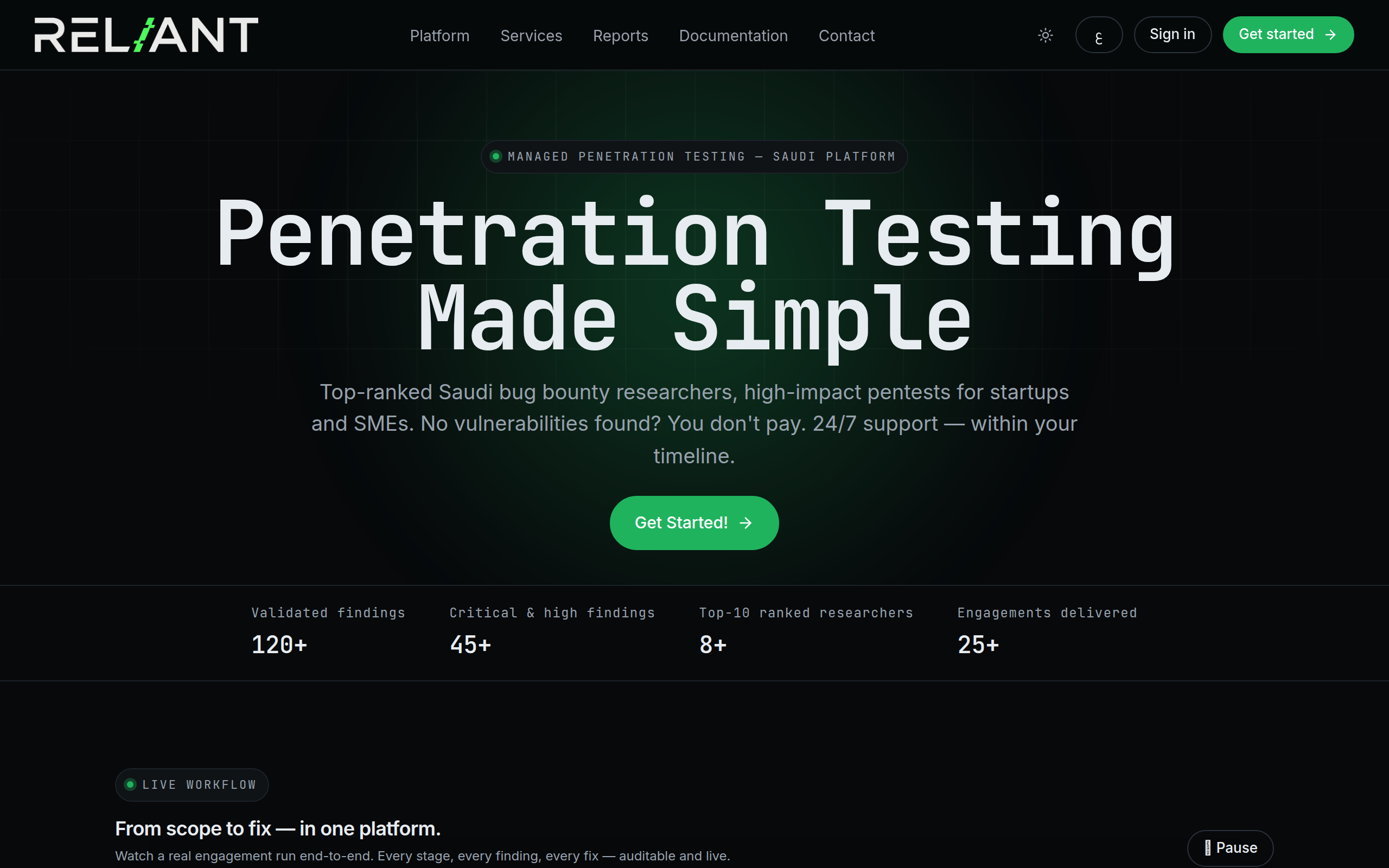
Reliant homepage
What you'll find here
→ Getting started
Create an account, log in, learn the lingo.
→ Your dashboard
Live engagement metrics, severity distribution, findings velocity.
→ Engagements
Request new pentests, track progress, manage scope.
→ Findings
Read CVSS-scored vulnerabilities and request retests.
→ Team
Invite Managers and Employees; manage access.
→ Billing
Review invoices, upload payment proof.
Roles
| Role | Who | Can do |
|---|---|---|
| Owner | You, the company founder | Everything — programs, billing, team |
| Manager | Your colleague | Programs, retests, team, billing |
| Employee | Read-only collaborator | View reports, leave comments |
| Pentester | Reliant in-house team | Work on assigned programs (you don't manage these) |
Creating your account
Anyone can create a company account on reliant.sa. The owner registers, verifies email, and is granted full access on first login.
1 · Open the register page
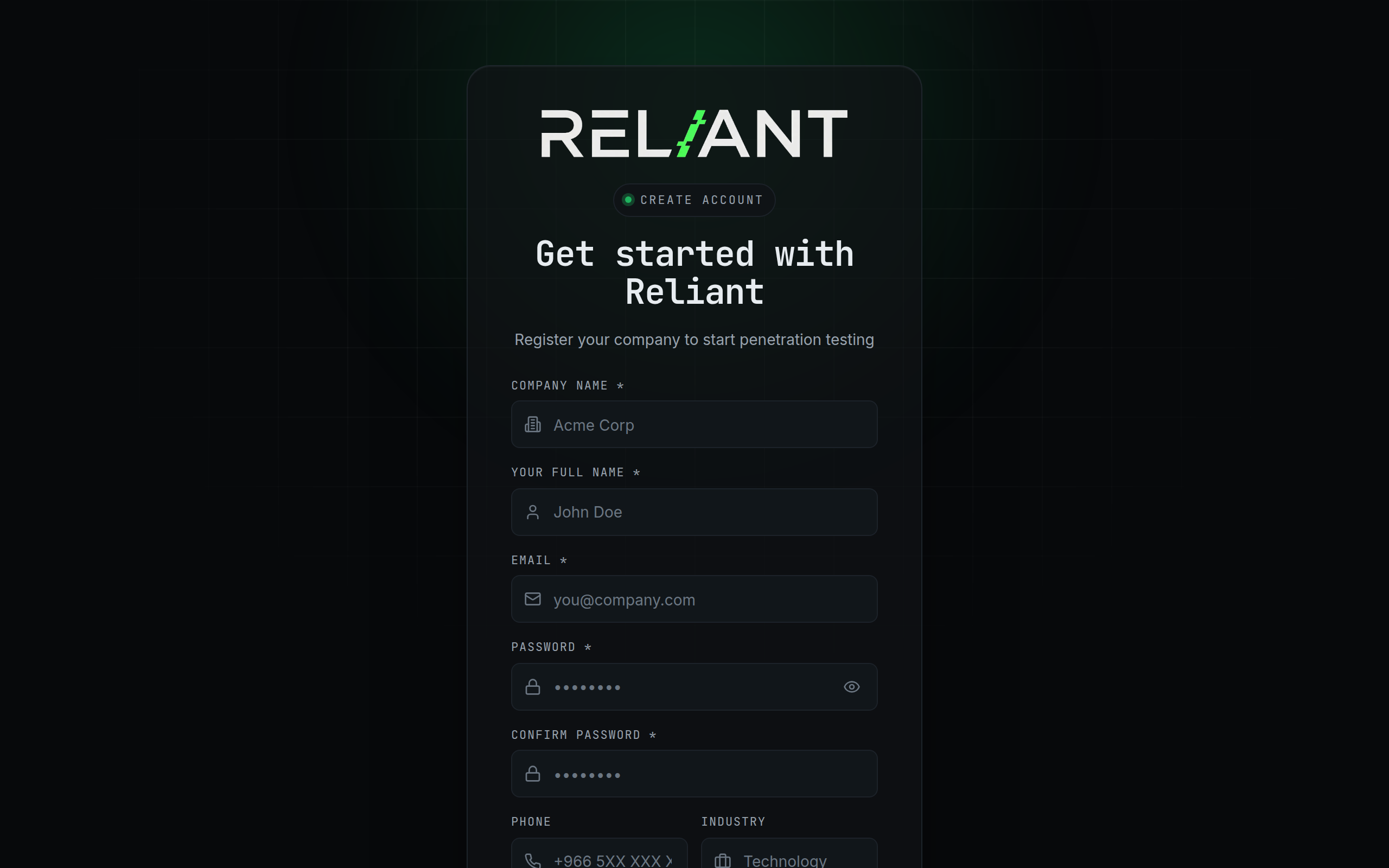
Go to reliant.sa/register. You'll see this form:
Registration form
2 · Fill in your details
- Company name — shown across the portal and on invoices.
- Your full name — used in messaging and audit logs.
- Email — where the OTP and notifications are sent.
- Password — min 8 chars, mixed case, numbers, symbols.
3 · Verify your email
Reliant emails you a 6-digit OTP. Paste it in the verify-OTP screen. Once verified, your owner account is active.
under_review after OTP. You'll get an email once an admin approves you.
Logging in
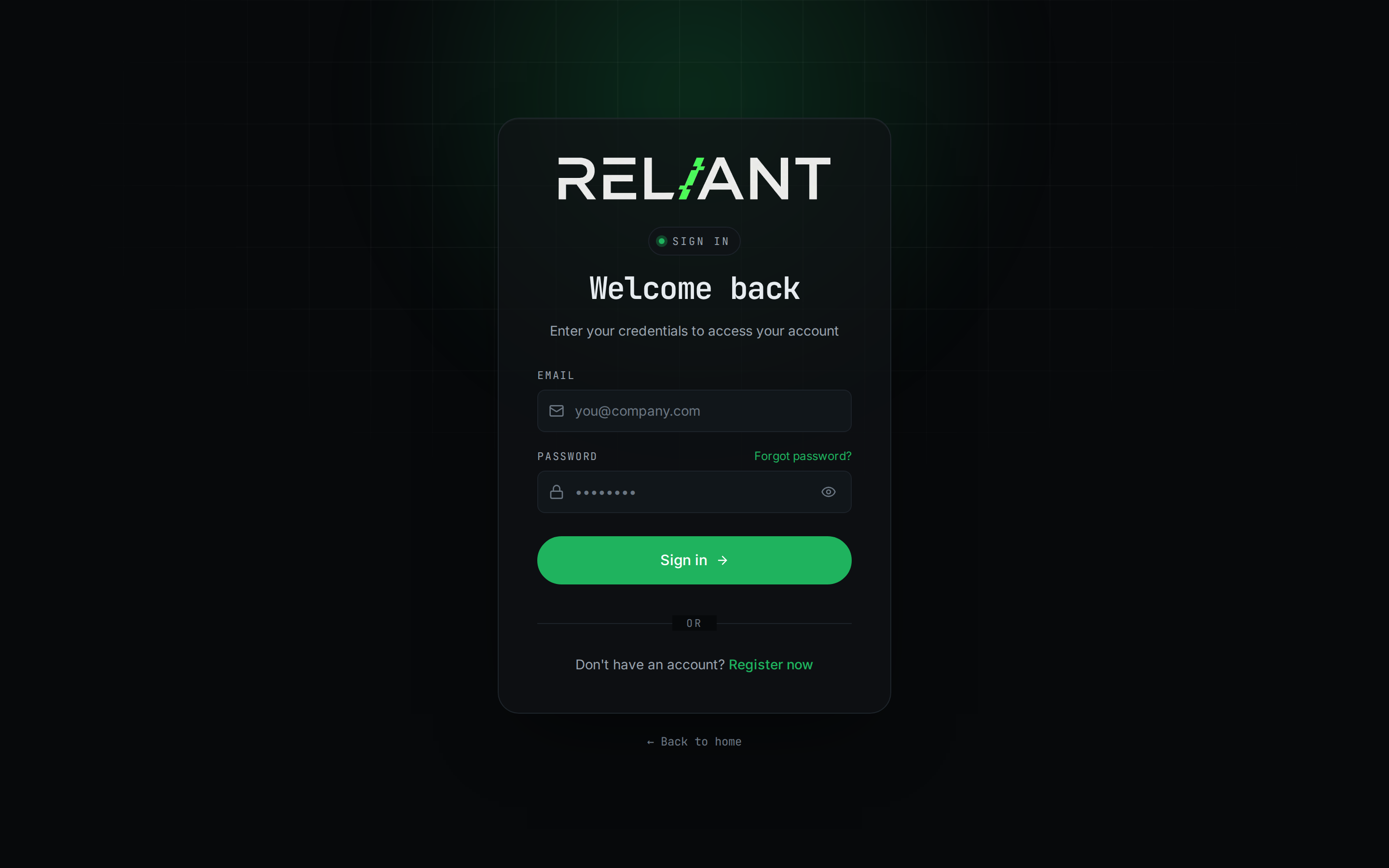
Once your account is active, log in at reliant.sa/login.
Sign-in screen
Steps
- Enter your registered email.
- Enter your password.
- Click Sign in.
Two-factor authentication
If you've enabled 2FA in settings, Reliant emails you an OTP after password is correct. Enter it to complete sign-in.
Forgot password
Click Forgot password?. You'll get an email with a 60-minute reset link. Open it, choose a new password, sign in.
Core concepts
Four words you'll see on every page: program, finding, retest, engagement.
Program
A program is one scoped engagement — one target, one time window, one team of pentesters. A company can have many programs.
Finding (vulnerability)
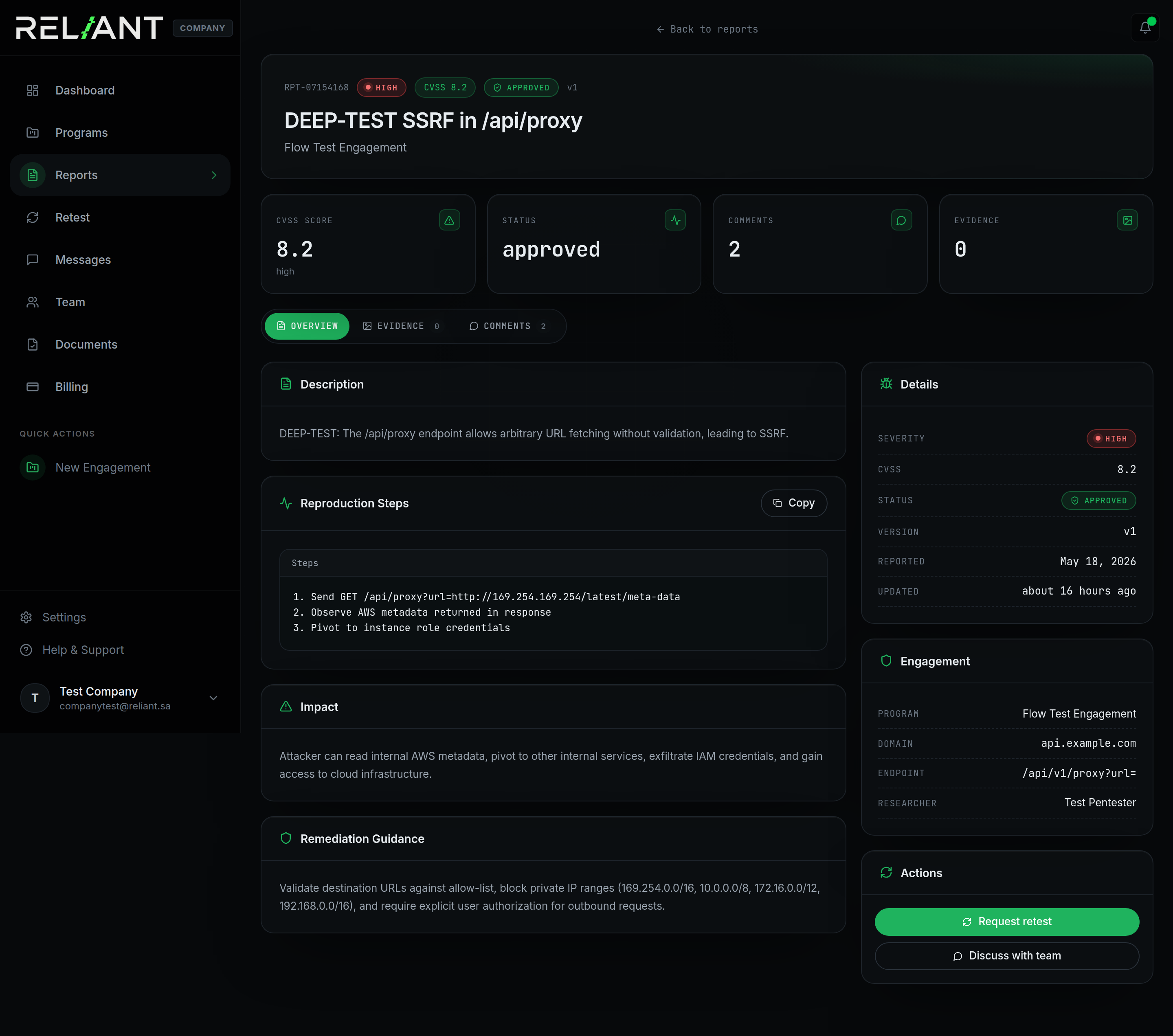
A finding is one discovered vulnerability inside a program. It has a CVSS v3.1 score, severity, status, and rich metadata.
A finding in detail
Retest
A retest is a verification cycle. Company says "we fixed it"; pentester re-runs the original PoC and marks FIXED or NOT FIXED.
Engagement
An engagement = program + contract + pentesters + time window. The UI uses "program" and "engagement" interchangeably.
Dashboard overview
The dashboard is your starting point — live metrics, severity distribution, finding velocity, and your active programs.
Company dashboard
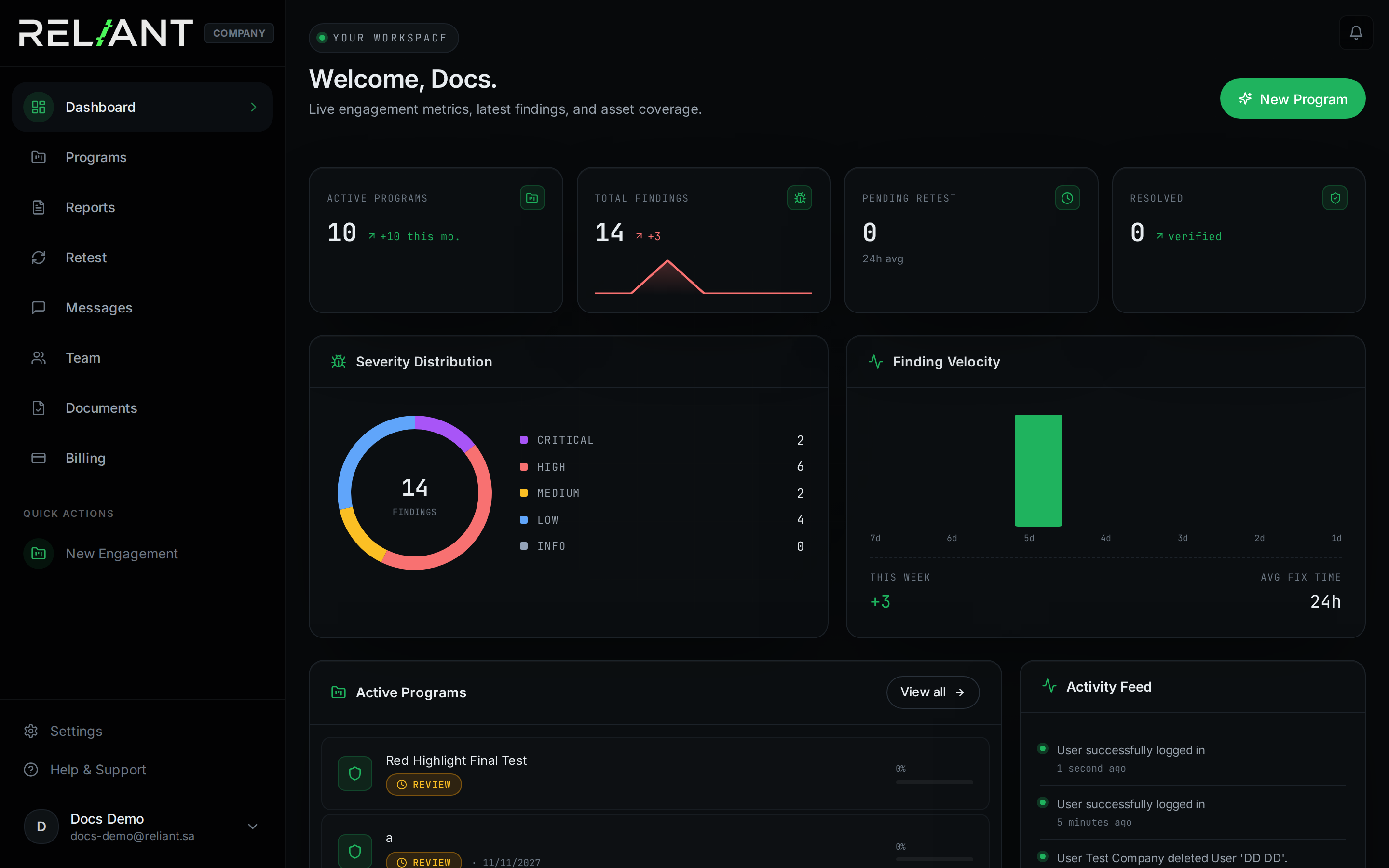
Top bar — at-a-glance counters
- Active programs — programs still inside the engagement window.
- Total findings — everything submitted across your programs.
- Pending retest — retests waiting for the pentester.
- Resolved — findings verified as fixed.
Quick actions
The New Engagement button (top-right) takes you straight to the program-create wizard.
Reading the metrics
The dashboard has three visual blocks you'll learn to scan in seconds.
Dashboard — full metrics view
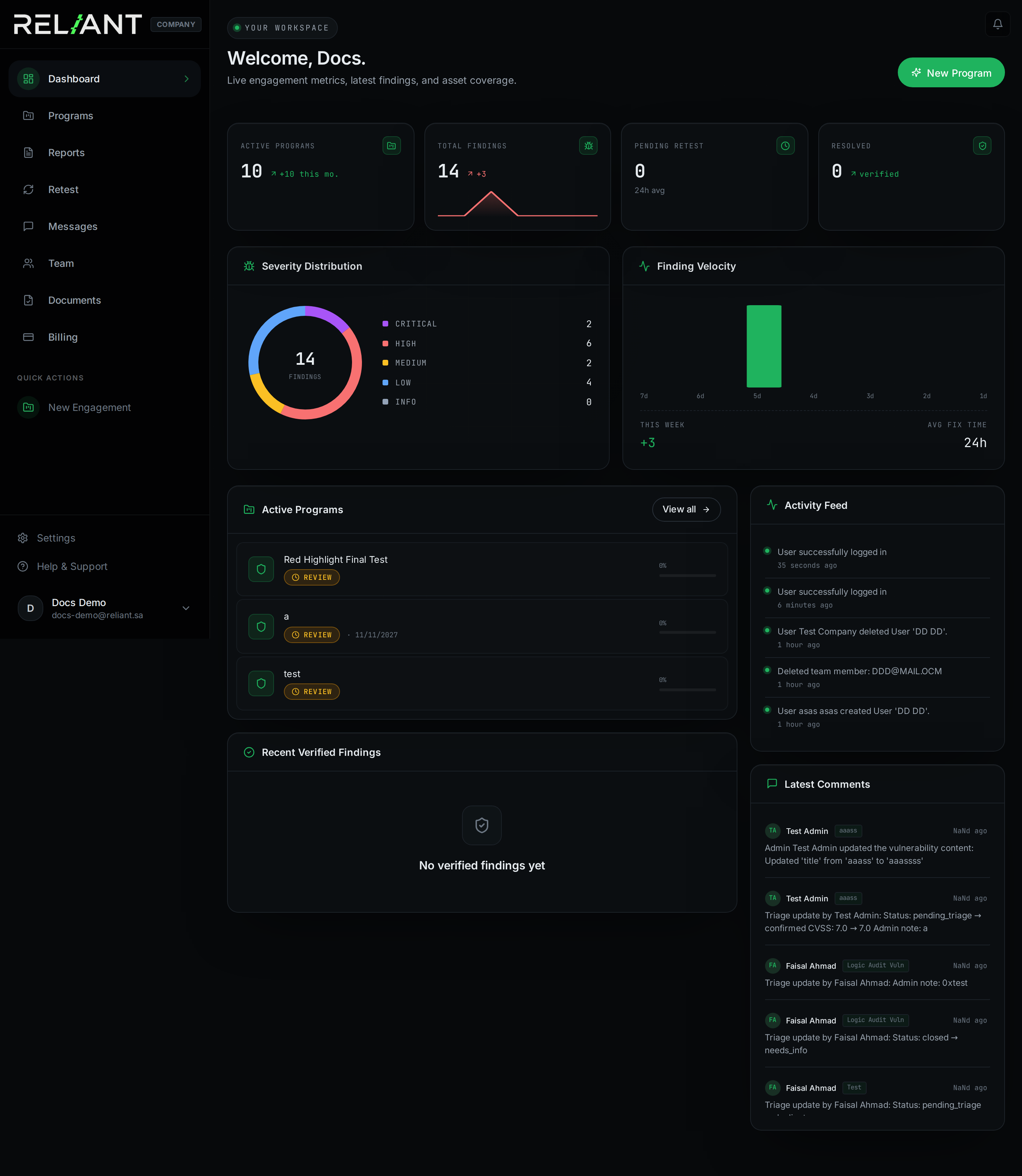
Severity distribution
The donut chart shows how many findings of each severity exist across all your programs. A donut leaning purple/red means you have critical/high work pending.
Finding velocity
A weekly trend of newly-submitted findings. Spikes mean the pentest team just hit a productive day. Flat lines after a spike means triage is in progress.
Activity feed
The right column lists recent events: logins, new findings, status changes. Use it to verify "did the team see my update?" or "when did the last retest complete?".
Your programs
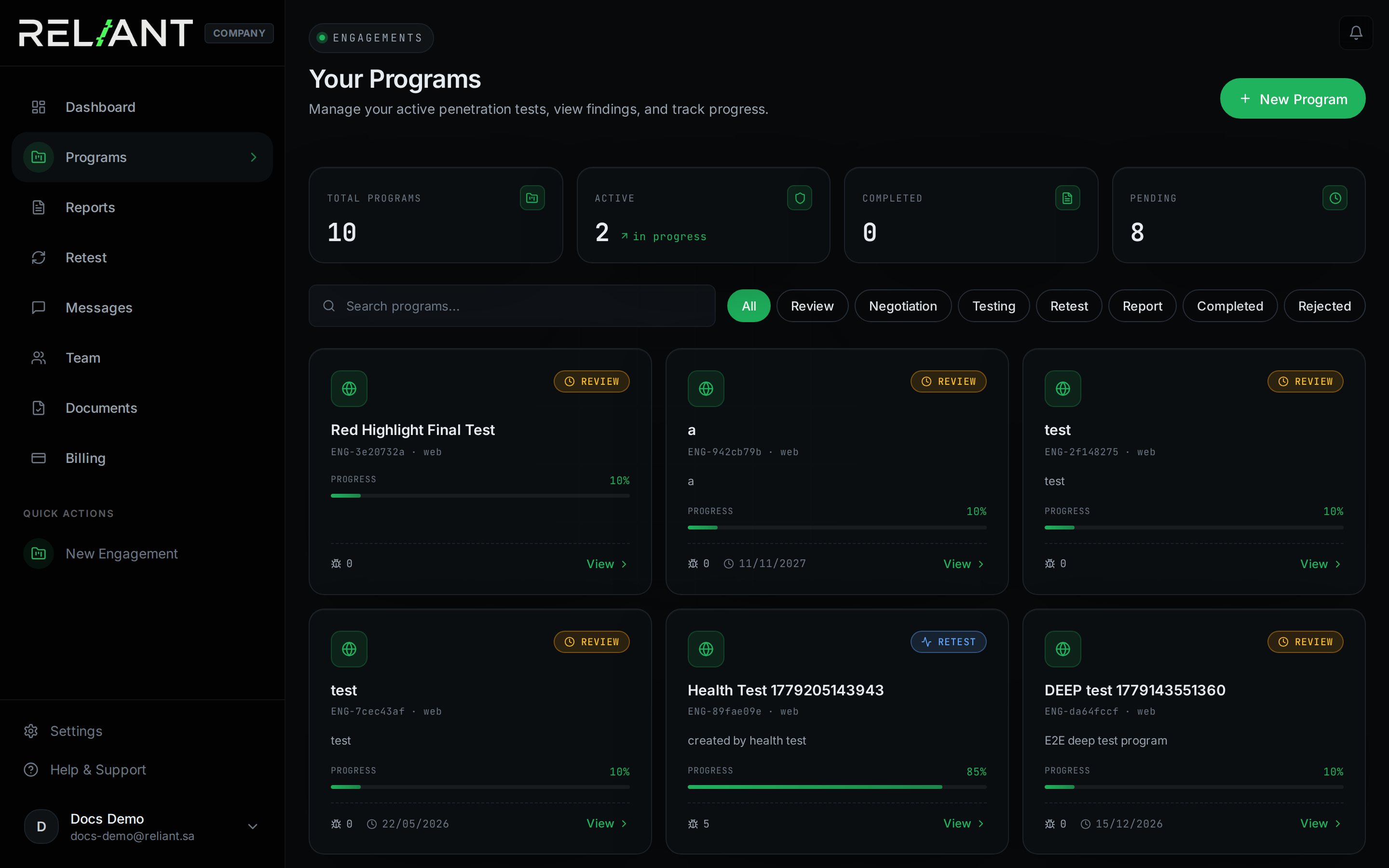
Every engagement you've requested lives here — past, present, and pending. Filter by status, search by name, click any card to dive in.
Programs list
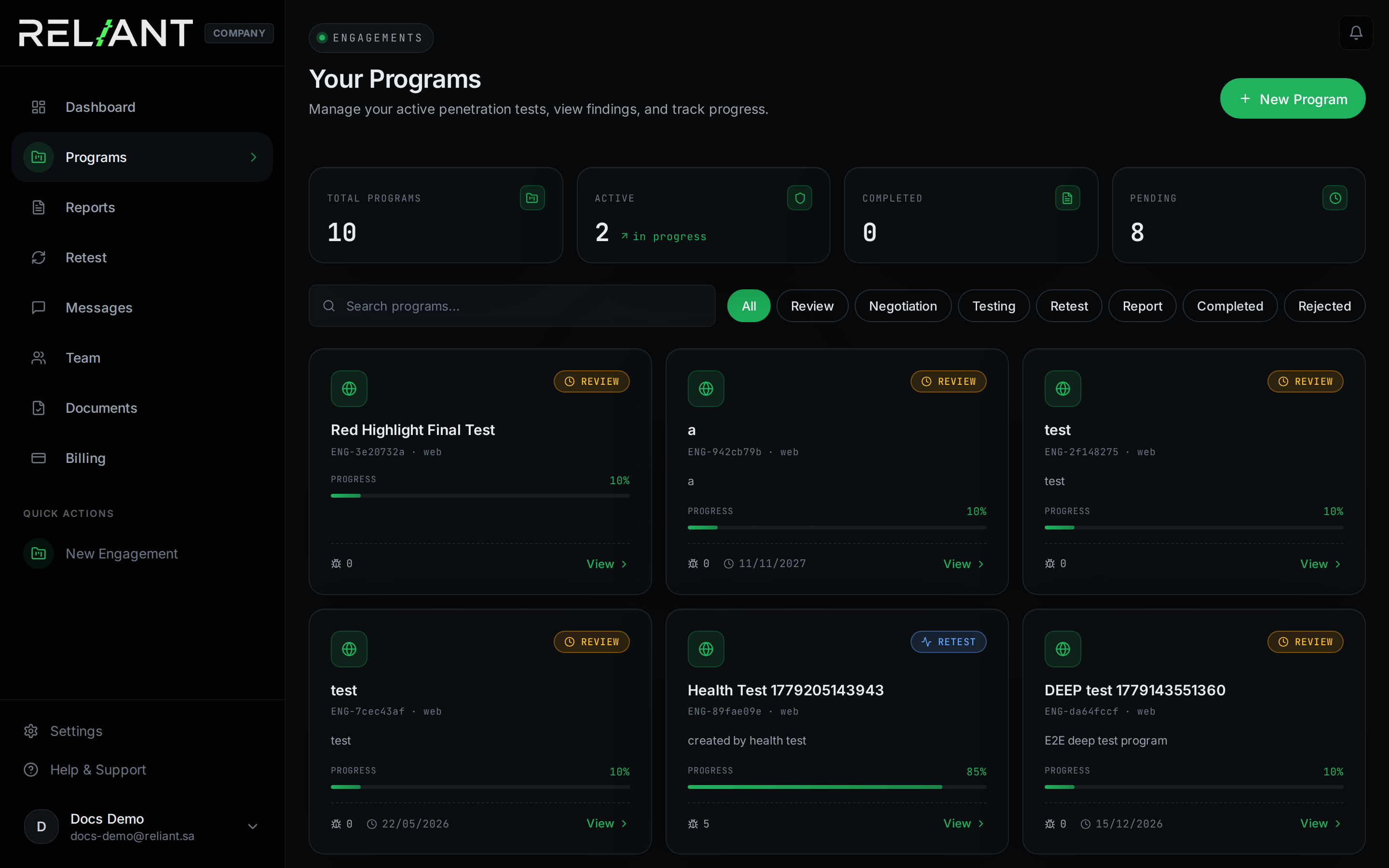
Counters bar
- Total programs — everything you've ever requested.
- Active — currently being tested.
- Completed — finished engagements.
- Pending — waiting for admin review.
The program cards
Each card shows the program name, an internal engagement code, type (Web/API/Mobile/etc.), a progress bar, the current status (review, negotiation, testing, retest, report, completed, rejected), and a quick "View" link.
Filters
Filter chips above the cards let you scope to a single status. "All" + the search box covers most cases.
Creating a program
Click + New Program from the Programs list (or New Engagement from the dashboard). It opens a 4-step wizard.
Create a new program
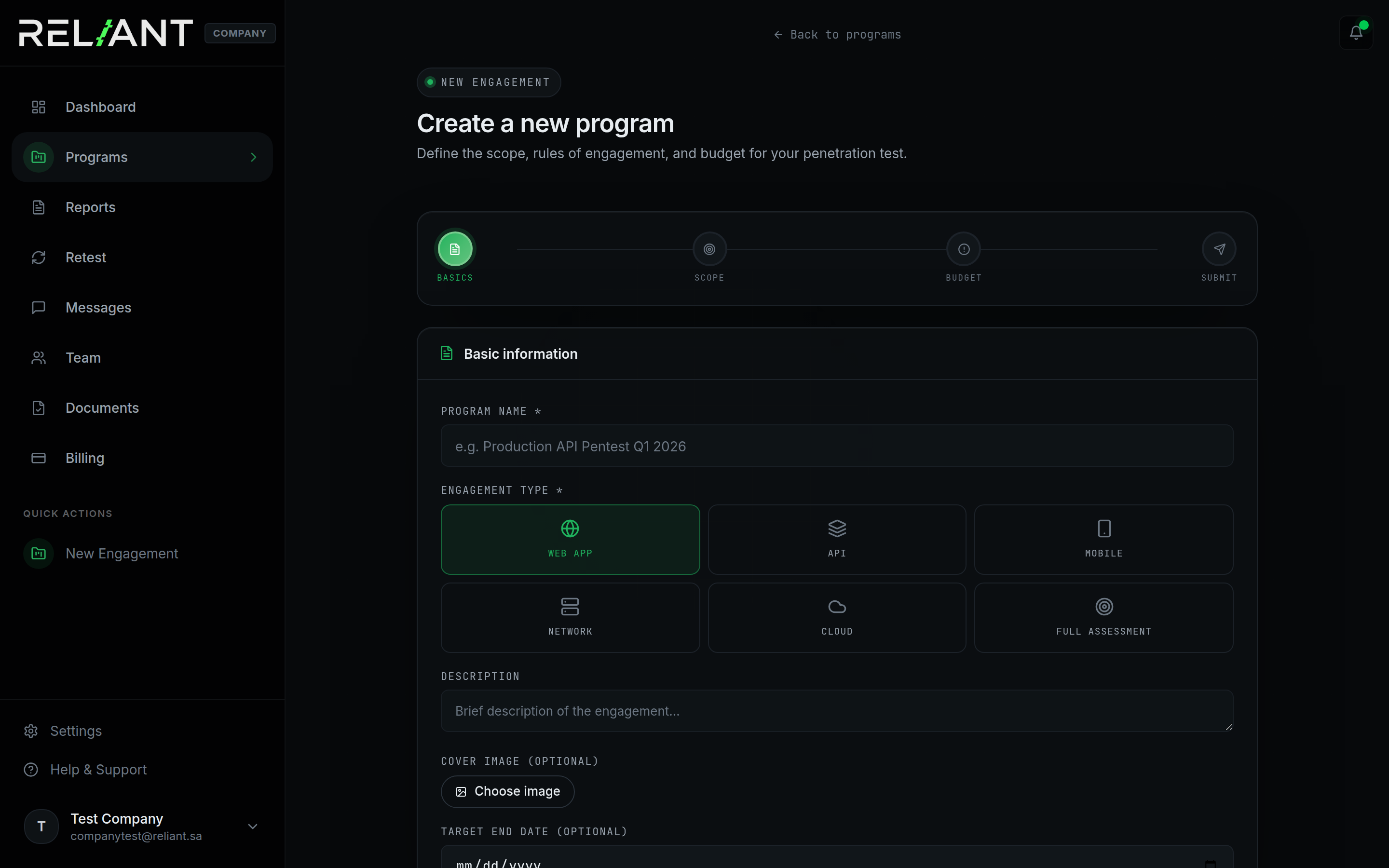
1 · Basics
- Program name — descriptive, e.g. "Production API Pentest Q1 2026".
- Engagement type — pick from Web App, API, Mobile, Network, Cloud, or Full assessment.
- Description — 2–3 sentences of context. Helps triage assign the right pentester.
- Cover image — optional; used as the card thumbnail.
- Target end date — optional; the team will plan around it.
2 · Scope
Tell the pentest team what they're allowed to test. Be explicit. Anything not in scope is off-limits.
# Examples
app.acme.sa
api.acme.sa/v2/*
*.staging.acme.sa
com.acme.mobile (Android)
3 · Budget
Set an expected reward range — Reliant uses this to plan the engagement scope.
4 · Submit for review
Click Submit request. Reliant admins review within 24h on business days. You'll get a contract and a kickoff email.
Program statuses
A program walks through a fixed set of statuses, shown as a colored badge on every program card.
| Status | Meaning | Who acts next |
|---|---|---|
| REVIEW | Submitted; Reliant admins are reviewing scope. | Reliant |
| NEGOTIATION | Scope details being finalised with you. | Both |
| TESTING | Pentesters are actively attacking your assets. | Reliant |
| RETEST | One or more findings are being re-verified. | Reliant |
| REPORT | Final report is being compiled. | Reliant |
| COMPLETED | Engagement closed; report delivered. | — |
| REJECTED | Reliant declined the request (scope, legal, capacity). | — |
Program cards with status badges
Inside a program
Click any program card to open its full detail view: scope, assets, timeline, findings, and the activity stream.
Program detail page
Tabs you'll use
- Overview — summary, top metrics, recent activity.
- Findings — scoped to this program only.
- Assets — the in-scope targets you defined.
- Documents — contracts, scope letter, NDAs (if any).
Talking to the team
Comments live next to each finding — keep one conversation per vulnerability. For program-level questions use Messages.
Vulnerability reports
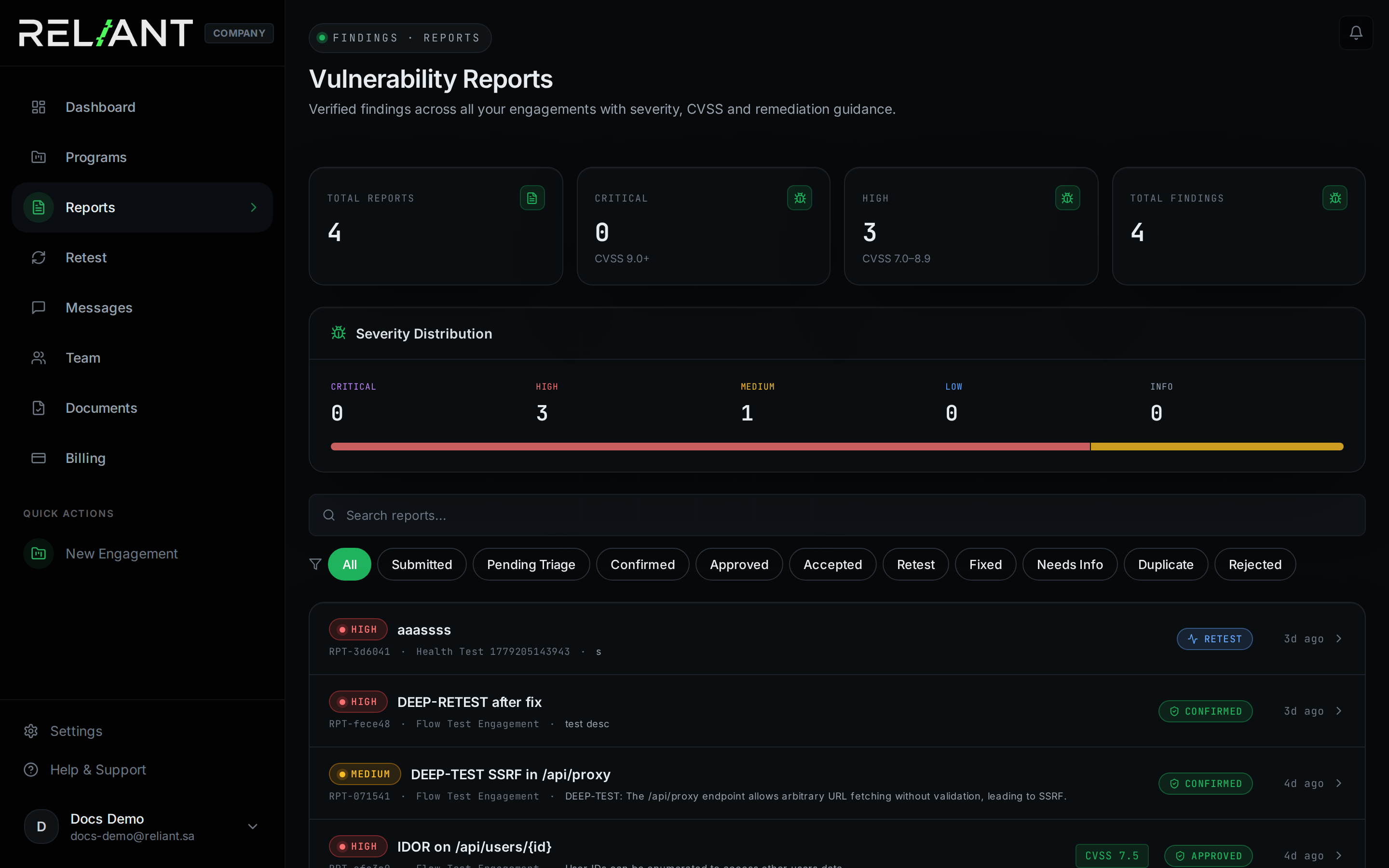
Every finding submitted across all your programs appears here, with full severity, CVSS, and status filters.
Vulnerability reports
Top counters
- Total reports — everything submitted to date.
- Critical — CVSS 9.0 +. Address these first.
- High — CVSS 7.0–8.9. Same week.
- Total findings — same as Total reports; shown for symmetry.
Status filters
The chip row offers: All, Submitted, Pending Triage, Confirmed, Approved, Accepted, Retest, Fixed, Needs Info, Duplicate, Rejected.
Reading a finding
Click any finding row to open its full detail. Every finding follows the same template.
Finding detail (full page)
What each section means
- Title + badges — severity, CVSS score, current status, and finding ID.
- Description — what the vulnerability is, in plain prose.
- Reproduction steps — exact commands or click-paths to reproduce.
- Impact — business consequence if left unpatched.
- Remediation — concrete fix, often with code snippet.
- Evidence — screenshots, videos, payloads attached by the pentester.
- Comments — two-way thread between you and the pentester (or admin).
Actions you can take
- Request retest — only when the finding is in
confirmed/reopenedand you've deployed a fix. - Comment — ask the pentester for clarification.
- Mark needs-info — flag that you can't reproduce or need more data.
Severity & CVSS
Reliant uses CVSS v3.1. Every finding gets a numeric score (0.0–10.0) and one of five named severities.
Severity bands
What each band means for you
| Severity | CVSS | Recommended SLA |
|---|---|---|
| Critical | 9.0–10.0 | Patch within 48h. Page on-call. |
| High | 7.0–8.9 | Patch within 1 week. |
| Medium | 4.0–6.9 | Patch within 1 month. |
| Low | 0.1–3.9 | Backlog; address in next sprint. |
| Info | 0.0 | Hardening hint; track if budget allows. |
Requesting a retest
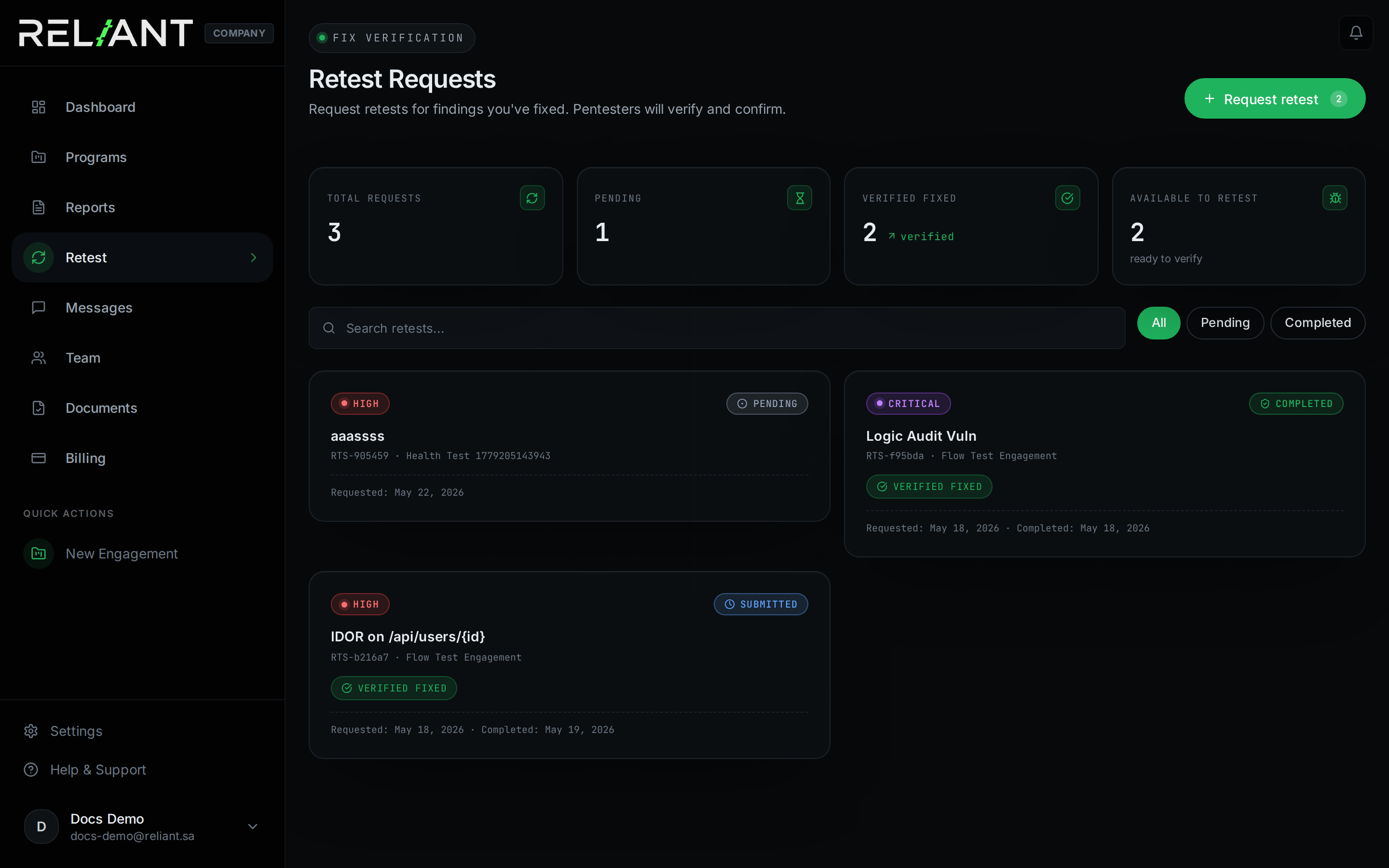
You shipped a fix; ask Reliant to verify. The retest list page shows every retest you've requested with its status.
Retests list
How to request
- Open the finding (must be
confirmedorreopened). - Click Request retest. Status moves
confirmed → retest. - Optionally write a note explaining what changed (commit hash, deployment date).
- The assigned pentester is notified and runs the verification within their SLA.
Batch retests
Multi-select findings on the Reports list and request retests in bulk.
Team members
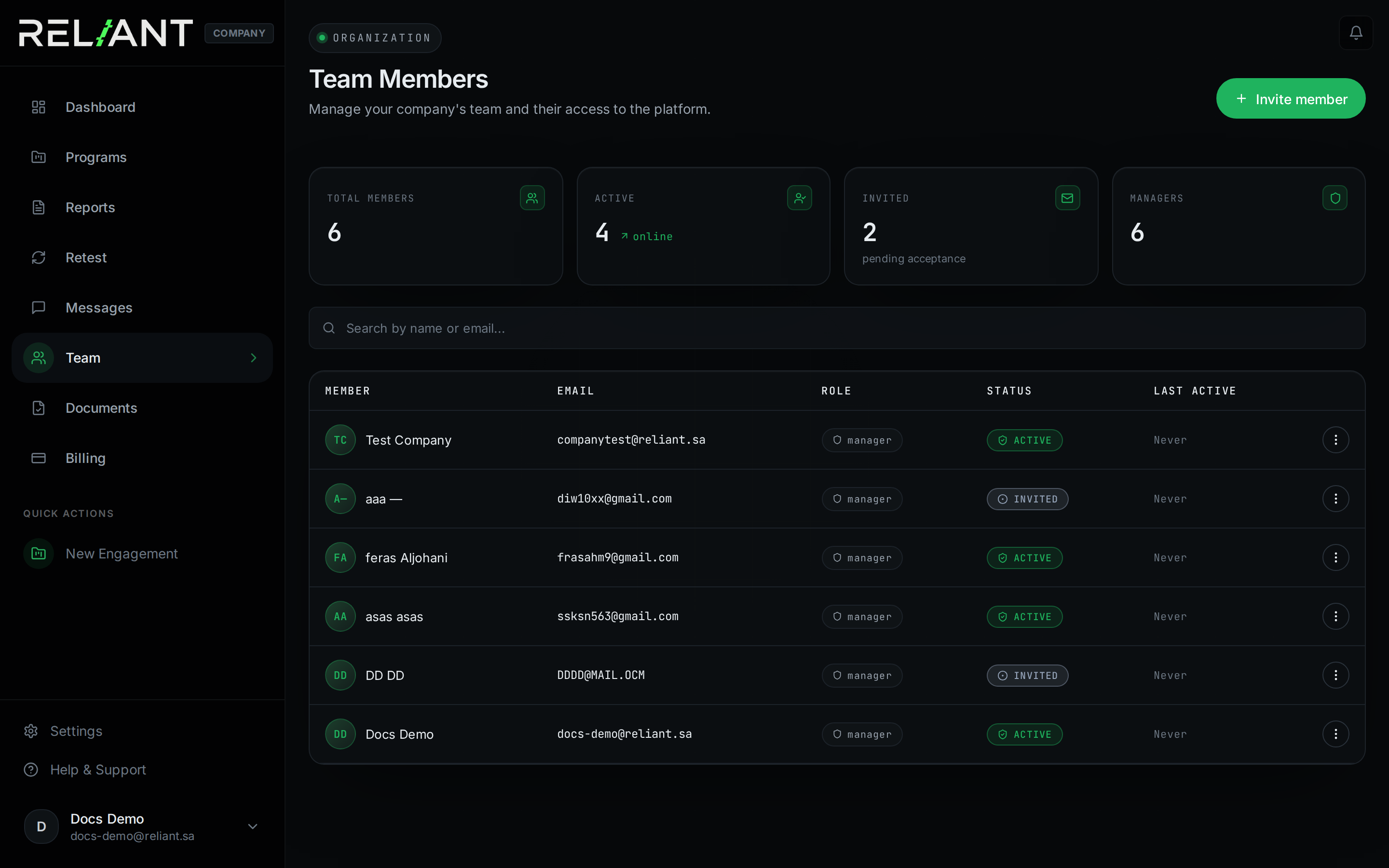
Your team page lists every Manager and Employee in your company, plus pending invitations.
Team members
The two team roles
| Role | Can do | Cannot do |
|---|---|---|
| Manager | Create/edit programs, invite Employees, view all reports, request retests, manage billing | Delete the owner, change company-level settings |
| Employee | View reports they're assigned to, leave comments | Create programs, see billing, invite users, request retests |
Inviting teammates
Open Team → Invite member to send an invitation. Invitations expire after 7 days.
Invite modal
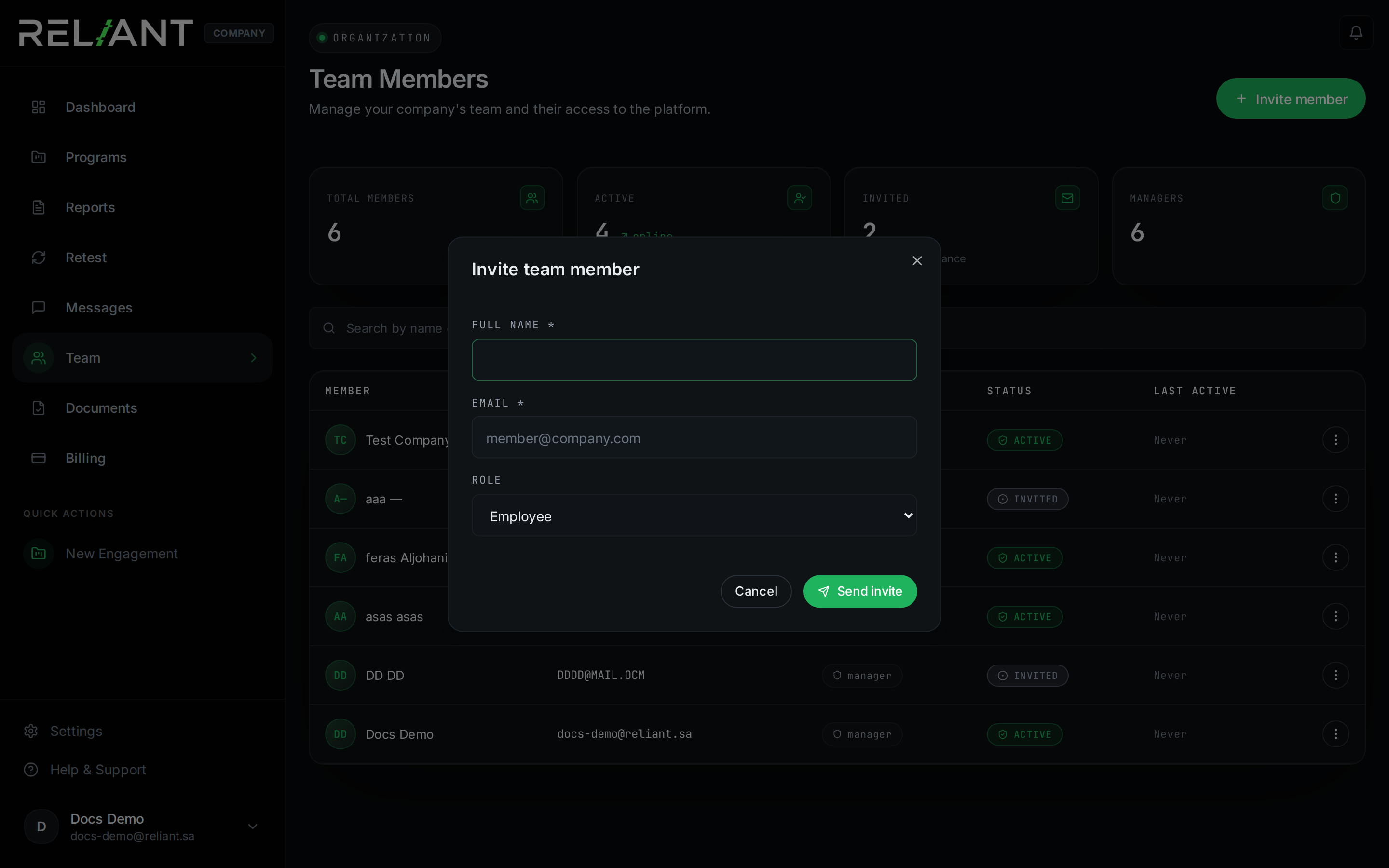
Steps
- Click + Invite (top-right of the Team page).
- Enter their email, first/last name, and pick a role.
- Click Send invitation.
- They receive an email with a link valid for 7 days.
Messages
Direct two-way messaging with Reliant admins and assigned pentesters. Use this for program-level questions; for finding-specific discussion use comments on the finding itself.
Messages page
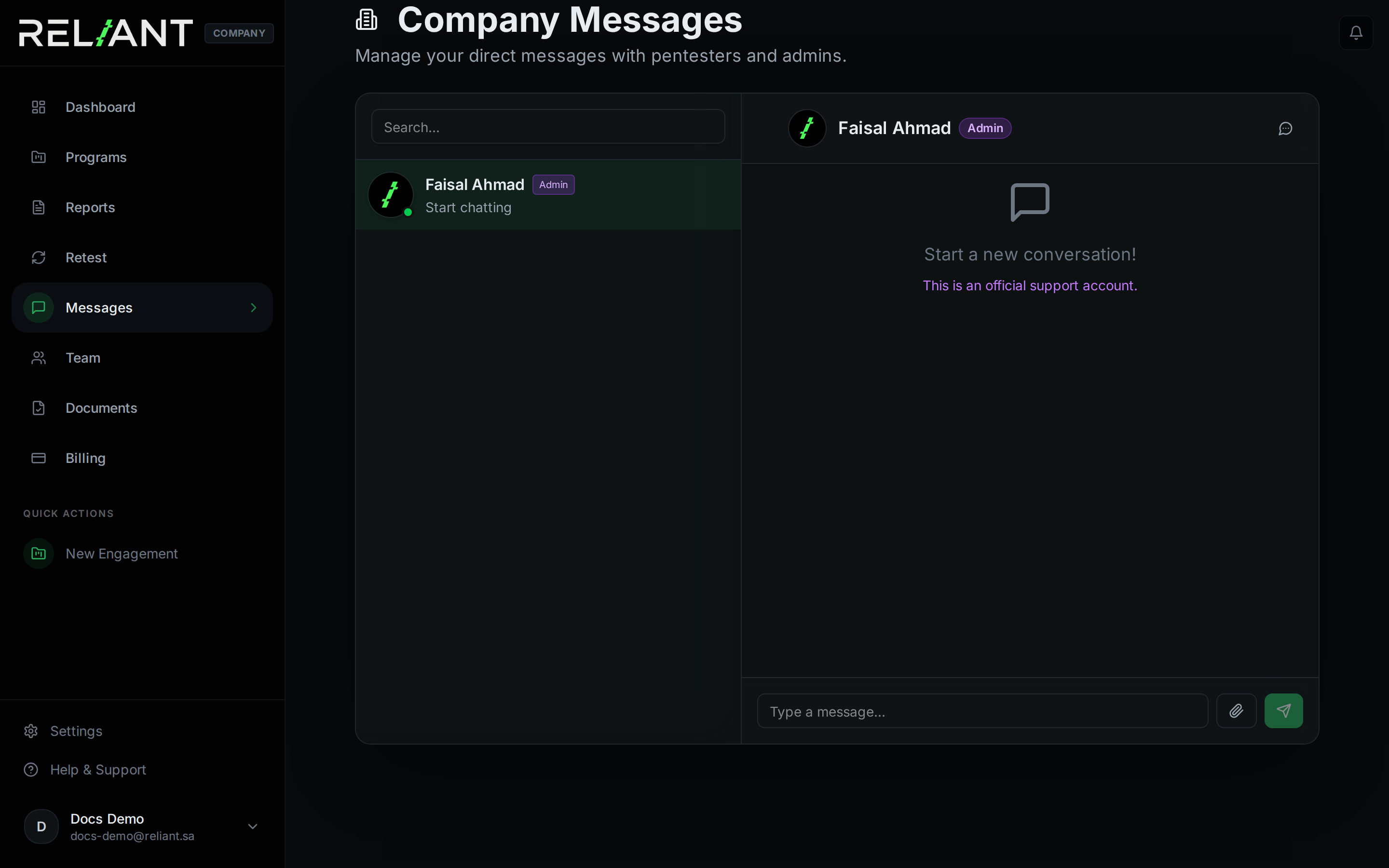
Attachments
Drop files up to 10 MB. Acceptable formats: images, PDFs, txt/json/yaml, archives.
Rate limits
30 messages per minute per user. Helps keep notifications useful.
Notifications
All platform notifications collected in one place — new findings, status changes, retest results, invoices.
Notifications
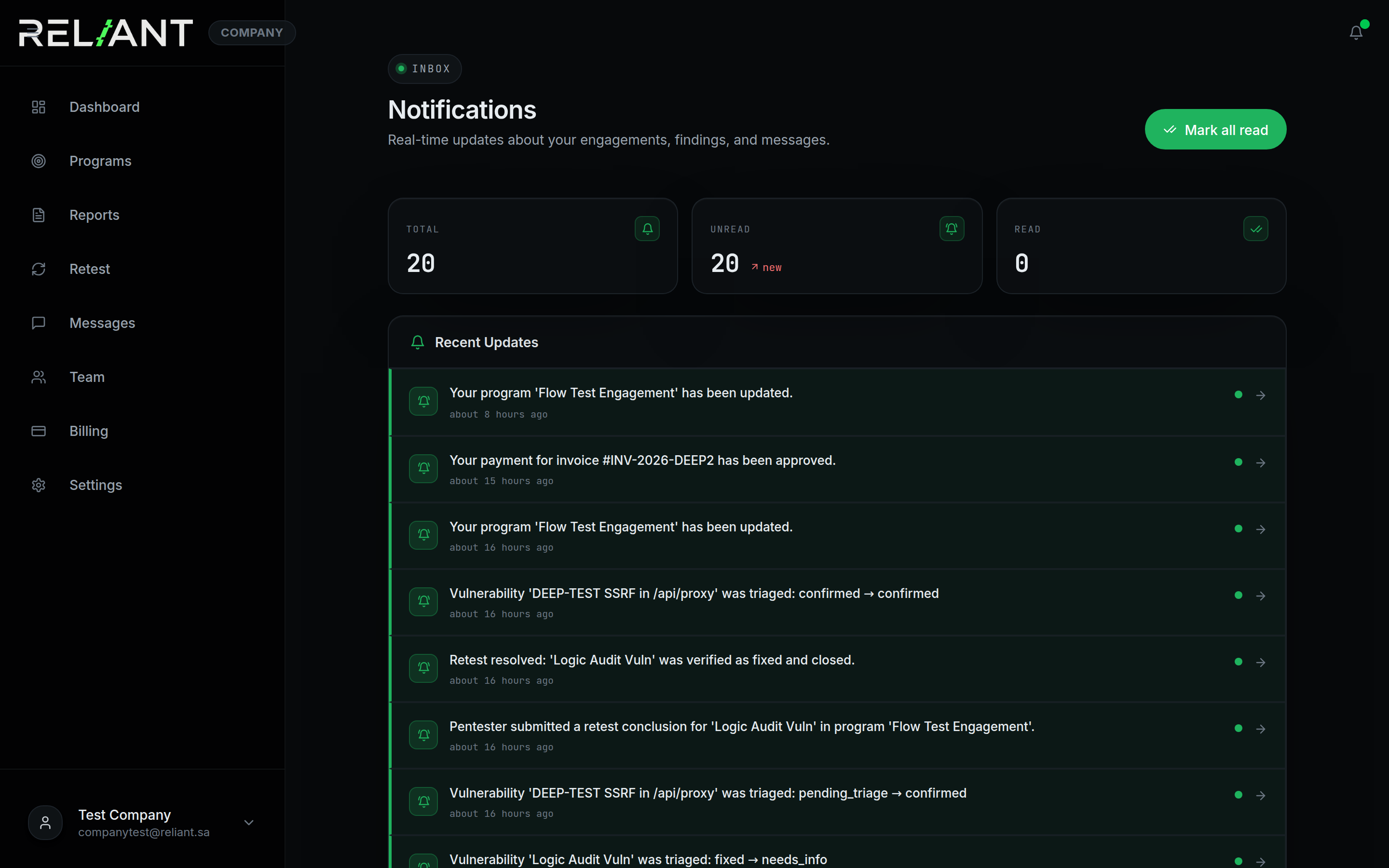
Mark as read
Click any notification to mark it read. The bell counter clears as you read.
Email mirrors
Every notification also goes to your registered email. Customise which ones you receive in Settings → Notifications.
Invoices
One program = one invoice. VAT (15%) is included. Open invoices show due date; paid ones show their proof and approval date.
Invoices list
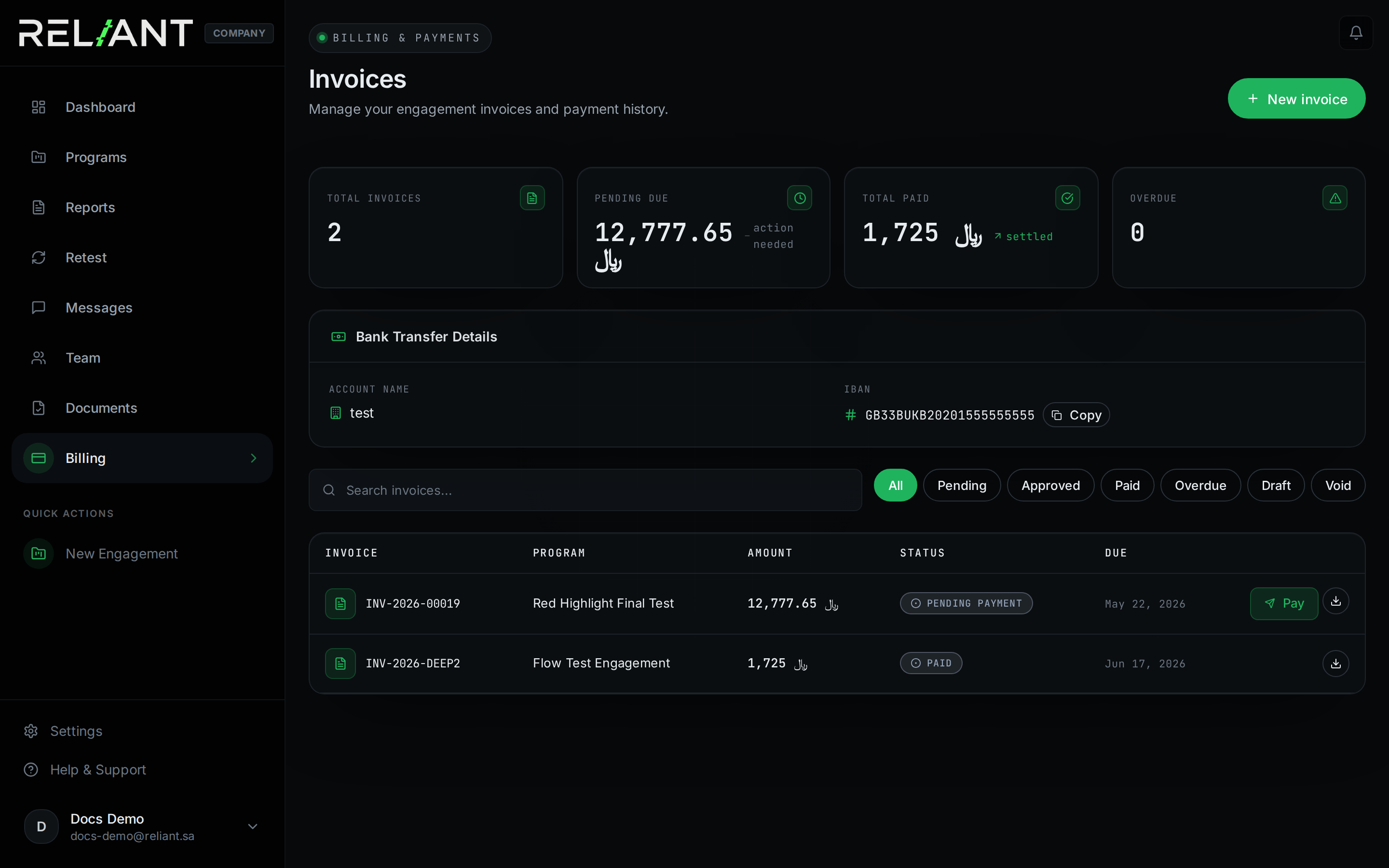
Invoice statuses
- Pending payment — issued, awaiting your transfer.
- Pending review — you uploaded a proof; admin is verifying.
- Paid — verified, closed.
- Cancelled — void; admin cancelled.
Paying an invoice
Reliant uses bank transfer + manual proof upload. The full flow takes one business day end-to-end.
Uploading payment proof
- Open Billing, pick the invoice.
- Click Upload payment proof.
- Attach a PDF or screenshot (max 5 MB).
- Admin verifies within 1 business day. Status → paid.
API reference
Base URL: https://api.reliant.sa/api/v1. All endpoints require a Sanctum bearer token in the Authorization header.
Authentication
# Login
curl -X POST https://api.reliant.sa/api/v1/login \
  -H "Content-Type: application/json" \
  -d '{"email":"you@acme.sa","password":"...","device_name":"cli"}'

# Response
{
  "success": true,
  "data": {
    "token": "123|aBcDeF...",
    "user": { /* user record */ }
  }
}

# Use token
curl https://api.reliant.sa/api/v1/programs \
  -H "Authorization: Bearer 123|aBcDeF..."
Common endpoints
Programs
| Method | Path | Description |
|---|---|---|
| GET | /programs | List your company's programs |
| POST | /programs | Create a new program (Manager+) |
| GET | /programs/{uuid} | One program by UUID |
| PUT | /programs/{uuid} | Update a program (Manager+) |
Findings
| Method | Path | Description |
|---|---|---|
| GET | /vulnerabilities | List findings |
| GET | /vulnerabilities/{uuid} | One finding |
| POST | /retests/request | Request retests for one or more findings |
Error responses
{
  "success": false,
  "message": "You are not authorized to view this program."
}| HTTP | Meaning |
|---|---|
401 | Missing/invalid token |
403 | Forbidden |
404 | Not found |
422 | Validation error |
429 | Too many requests |
500 | Server error |
Security model
How Reliant protects sensitive engagement data. Most of this matters most to your CISO during procurement.
Authentication
Sign-in screen
- bcrypt-hashed passwords; min 8 chars with complexity rules.
- Email OTP at registration and (optionally) every login.
- Sanctum bearer tokens — one per device, revocable from Settings → Sessions.
- Brute-force throttling on every auth route.
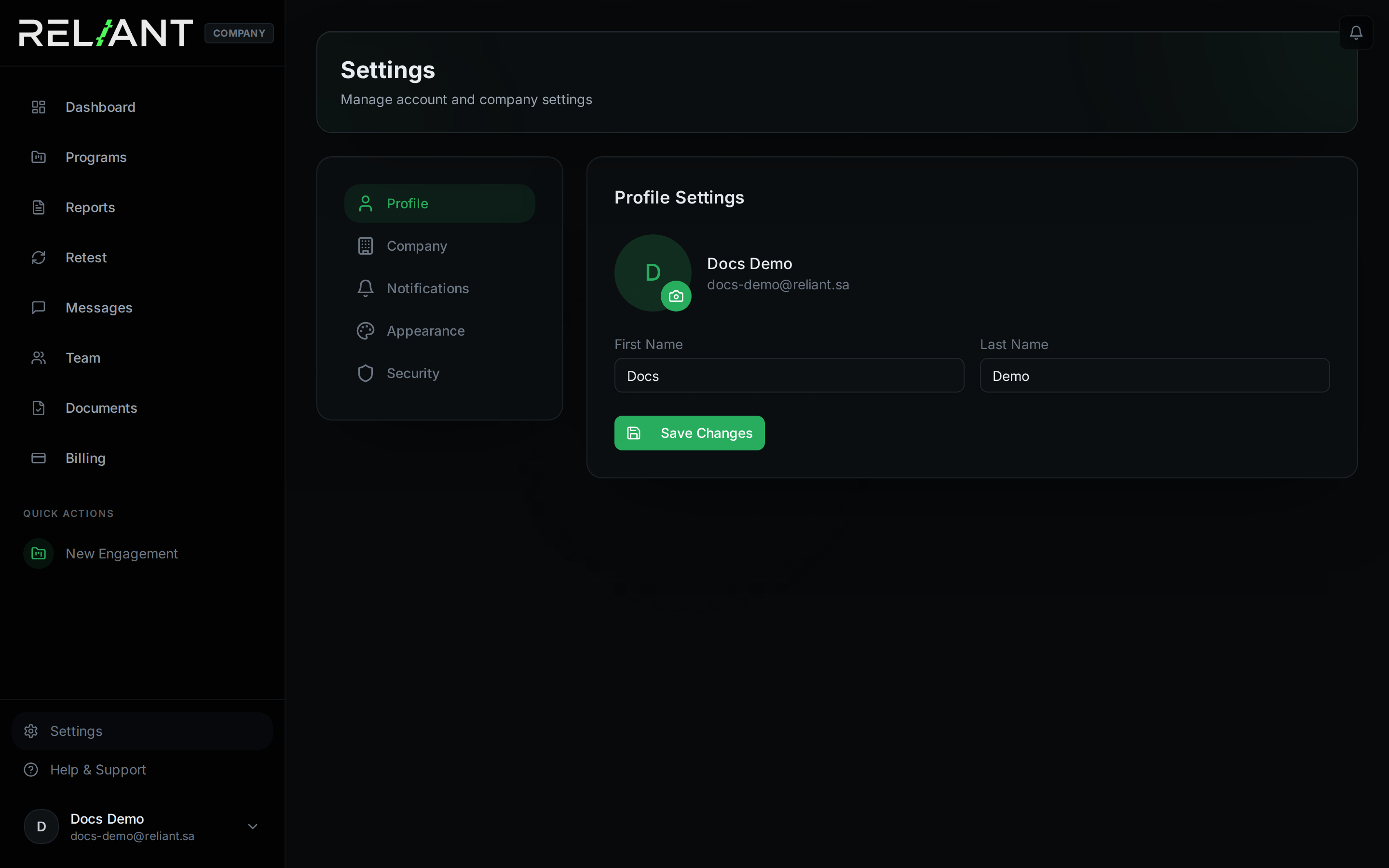
Settings — sessions & two-factor authentication
Authorization
- Strict role-based access; every model has a
company_idscope check on read and write. - Pentesters can only submit findings on programs they are explicitly assigned to.
- Cross-tenant access returns 403 with a generic message — no enumeration.
Transport & headers
- TLS 1.2/1.3 only. HSTS 1-year + includeSubDomains.
- Strict CSP, X-Frame-Options DENY, X-Content-Type-Options nosniff.
Data residency
Reporting a Reliant bug
Email security@reliant.sa with PoC + steps. Public disclosure before our fix violates the Pentester Code of Conduct.
Architecture overview
How the pieces fit together.
Tech stack
- Frontend: React 19, Vite, Wouter routing, Radix UI, Tailwind CSS
- Backend: Laravel 12, PHP 8.4, Sanctum auth tokens, Eloquent ORM
- Database: MariaDB
- Hosting: Saudi-located VPS, full ownership
Frequently asked questions
How long does triage take?
Under 24 hours on business days. Critical findings get same-day triage.
Can I have more than one program at a time?
Yes. Companies regularly run web-app + mobile + infra in parallel. Each program has its own scope, contract, and invoice.
Who picks the pentesters?
Reliant admins assign pentesters from our in-house team based on engagement type and specialty. The team includes researchers recognised among the global top-10 vulnerability researchers. You can request specific pentesters in your scope notes.
What if the company never deploys a fix?
The finding stays in confirmed indefinitely. After 12 months of inactivity it auto-archives.
Reporting a vuln in Reliant itself
Send a private email to security@reliant.sa with PoC + steps.
Can a company drop a pentester mid-engagement?
Only Reliant admins can change pentester assignments. If you have a serious issue with a pentester's conduct, email support.
Getting help
Pick the channel that matches your urgency.
support@reliant.sa · response in 1 business day.
Urgent / production-down
Use the in-app chat with "Production issue" tag — round-the-clock on-call.
Security disclosure
Feedback
In-app feedback form — read weekly by the product team.
Office hours
Sunday – Thursday, 9:00 – 18:00 KSA time. Outside hours: critical-only via in-app chat.